
Accessibility tools
Accessibility Insights
- Last reviewed
- 13 August 2026
Automated and guided manual accessibility checks based on WCAG.
What you can test
This tool can help you identify potential accessibility barriers that may affect people with:
How to install
Accessibility Insights is a browser extension.
Use the links to install:
It's not available for Safari or Firefox.
How to use
Once installed, you can launch the tool from your extensions bar. It will appear as a heart icon with a magnifying glass inside.
There are 4 options to choose from:
- FastPass: runs 3 automated tests to find common accessibility issues in less than 5 minutes
- Quick Assess: runs 10 assisted checks to find more accessibility issues in 30 minutes
- Assessment: walks through a guided process for assessing accessibility compliance
- Ad-hoc tools: provide quick access to visualisations that help identify accessibility issues
These options provide guided tests and can act as a checklist to ensure you've tested all parts of your product or website.
What results could look like
FastPass results
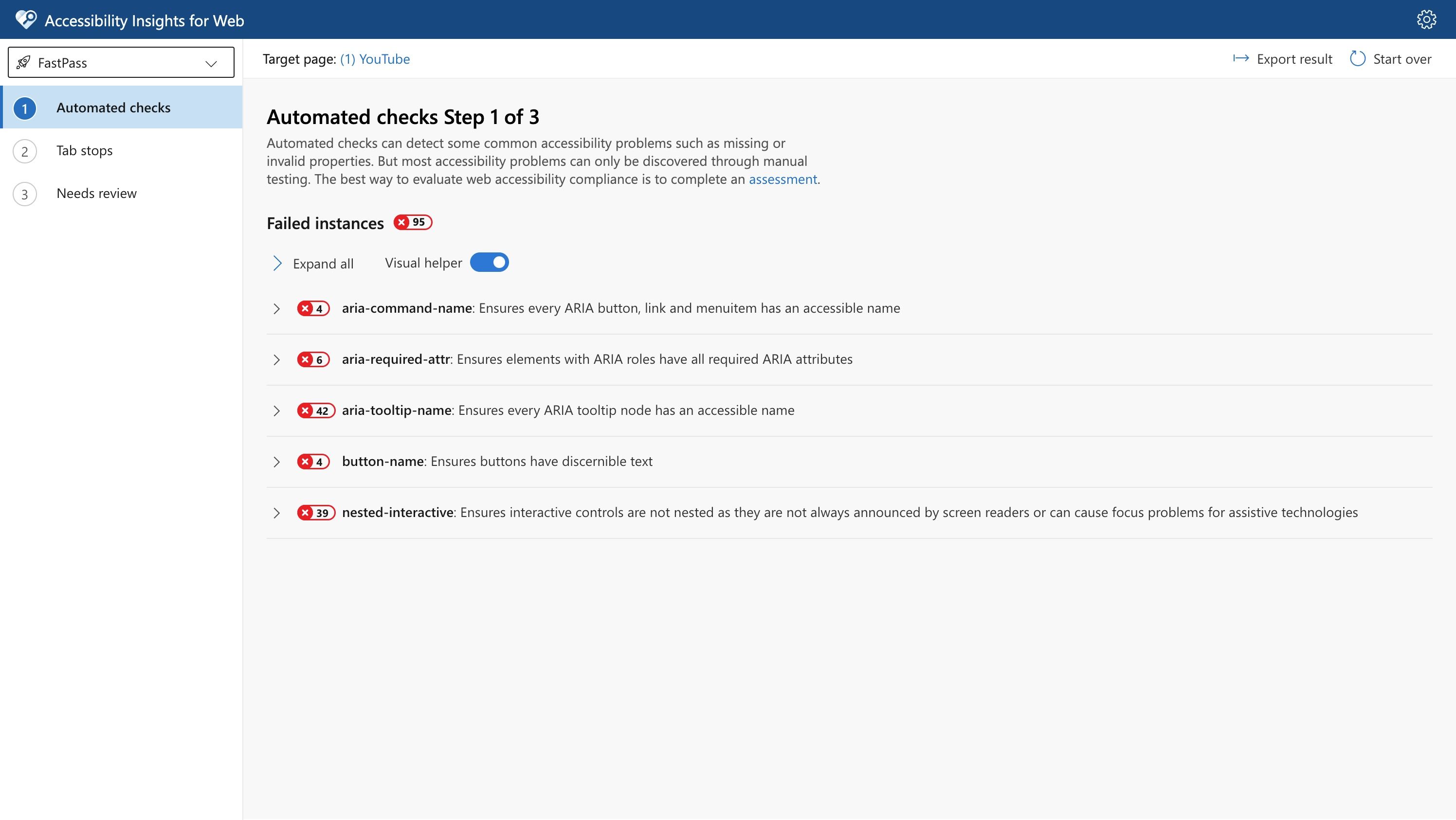
Automated checks will run on your target page. The Accessibility Insights for web page will open in a new browser window and the individual failures will be highlighted directly in the target page.
This example shows the results of FastPass automated checks, with 95 failed instances.
View larger image in a new tab
Quick Assess results
Use to check the top 10 WCAG 2.2 Level AA success criteria.
There are 3 types of testing:
- automated - identifies instances and evaluates them automatically
- assisted - actively helps you identify or evaluate instances
- manual - provides instructions for identifying and evaluating instances
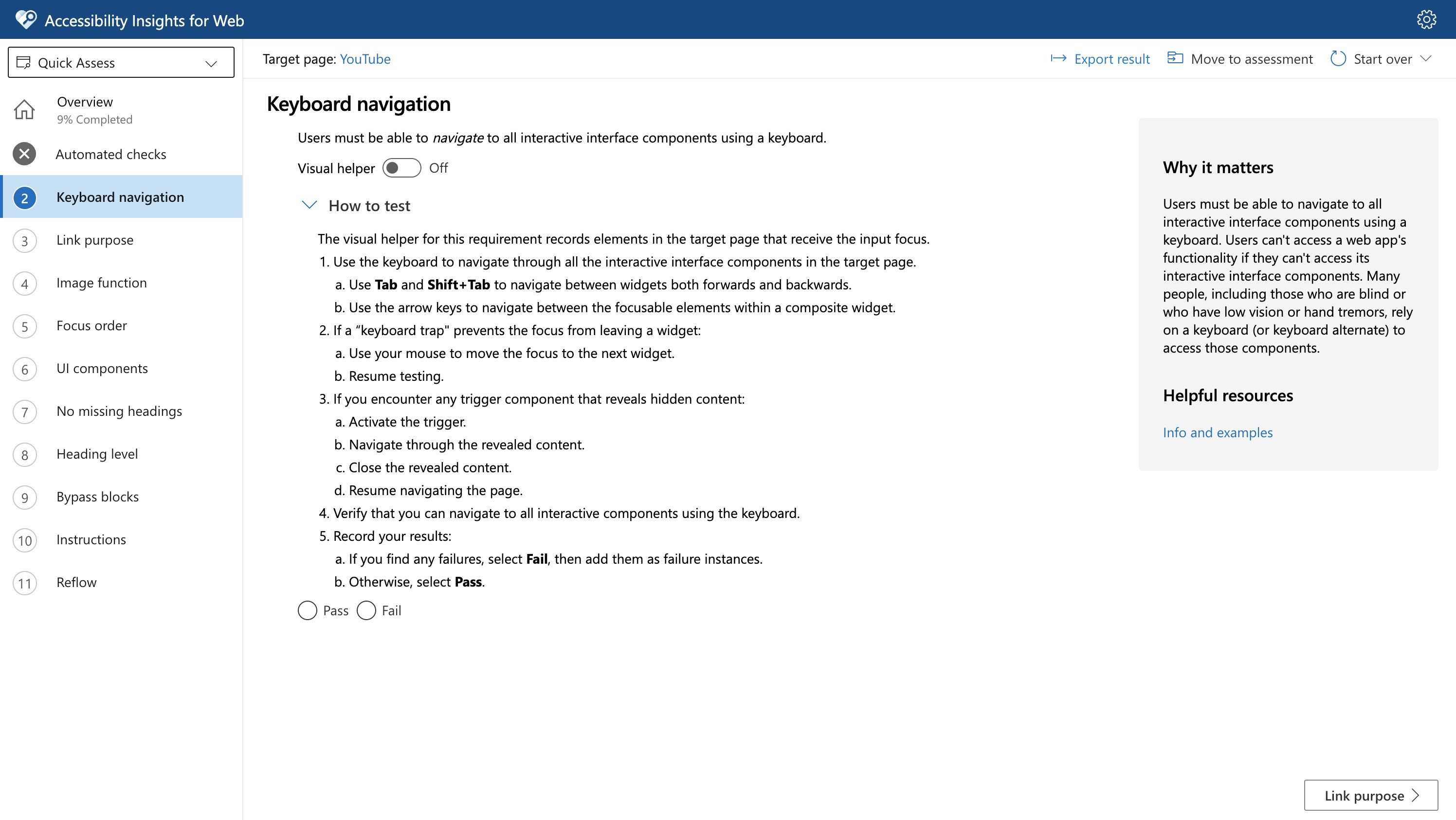
This example shows one of the 10 manual checks in Quick Assess. These are checks you carry out yourself. The check shown is a keyboard test with five steps to complete
View larger image in a new tab
Assessment results
An assessment is a comprehensive process that measures compliance with WCAG 2.2 Level AA success criteria. The assessment process includes 24 tests, and each test covers one or more accessibility requirements.
There are 3 types of requirement:
- automated - identifies instances and evaluates them automatically
- assisted - actively helps you identify or evaluate instances
- manual - provides instructions for identifying and evaluating instances
Using the assessment tool, you can save your audit and review it later. You can also generate a report showing issues and tests completed.
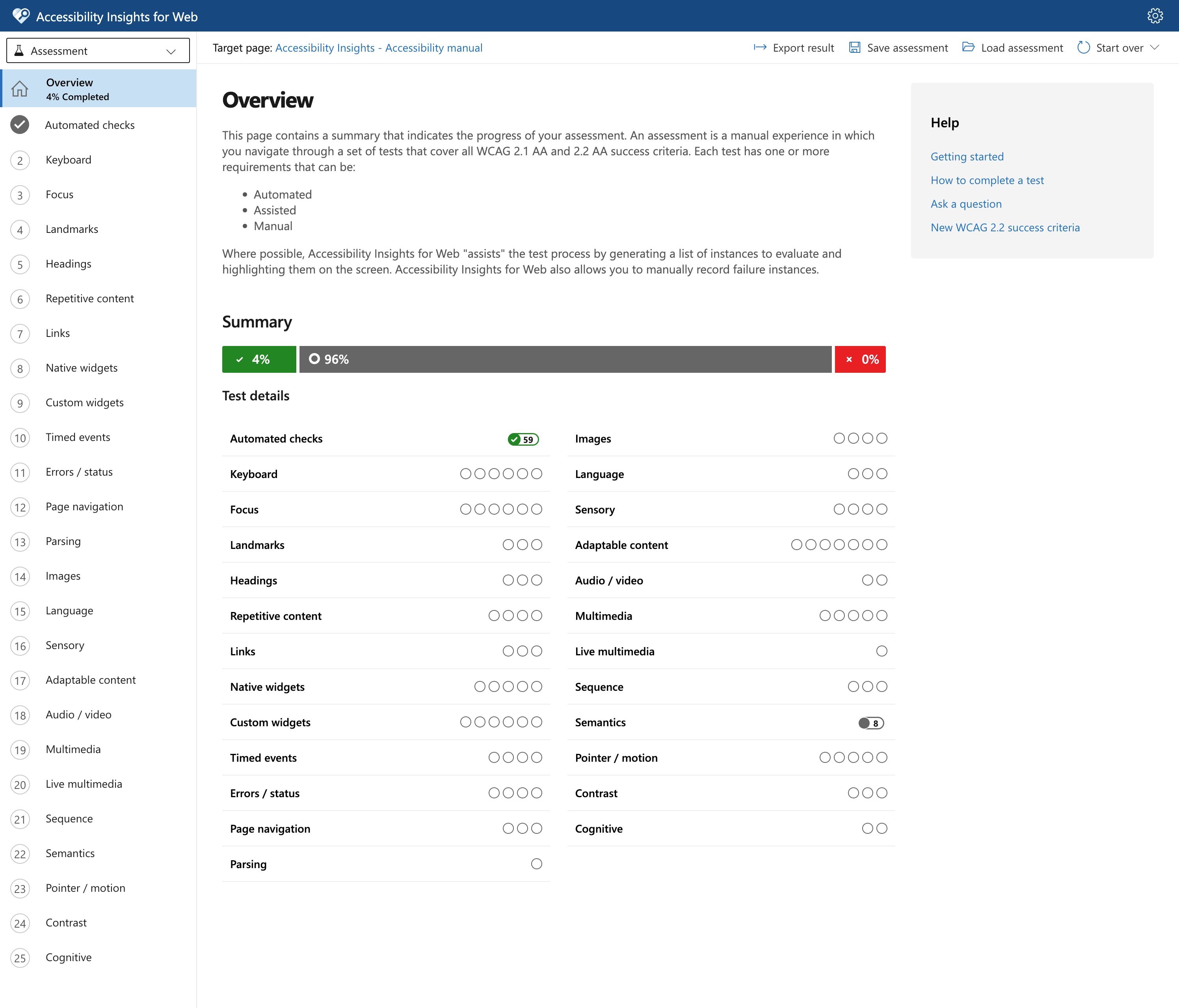
This example shows a summary of a full assessment, including which checks have passed, failed, or are yet to be completed. The overview shows that 4% of the checks have been completed so far, with 96% remaining.
View larger image in a new tab
Ad-hoc tools results
From the toolbar icon, select Ad hoc tools to get quick access to visualisations that help you identify accessibility issues.
This opens a window which lets you highlight headings, tab order, and names of interactive elements.
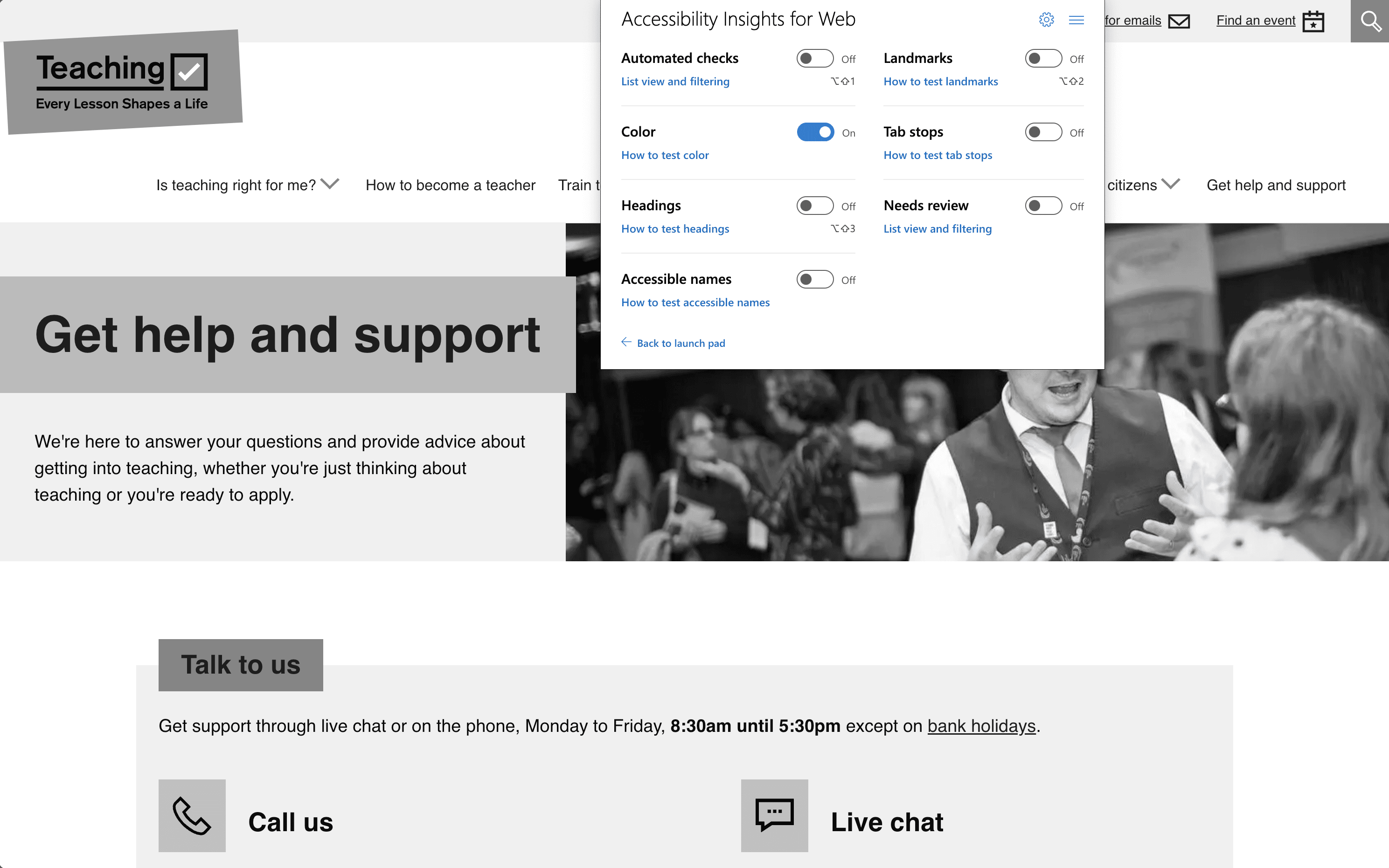
This example shows the colour test in Accessibility Insights, which displays a page in greyscale to help identify where colour is the only visible way of conveying meaning. The image shows the Get Into Teaching homepage with the test running.
View larger image in a new tab
What to do next
You need to check or verify that the accessibility issues the tool finds are issues, rather than false positives or false assurance.
Find out how to interpret accessibility test results.
If an issue is genuine, speak to your developer or design team to consider and implement a fix.
You can read guidance for how to manage and prioritise issues.